
Websites from Claude and ChatGPT.
Securely online.
TEISENDA hosts your complete company website on your own domain, securely in Germany.
https://mcp.teisenda.com/mcp Servers in Germany
- No credit card
 Swiss company
- GDPR-compliant, with a DPA
- Unlimited members, free
Your whole company website online in one click.
Whether it's landing pages, internal team pages or your complete company website.
- Your own domain, easily connected.
- An encrypted website thanks to an HTTPS certificate.
- The entire website saved as one version, with backups.
Domains
TEISENDA
The page is done. Now what?
You built your page with Claude or ChatGPT, but what now? With TEISENDA it goes online easily, quickly and, above all, securely.
- const API_KEY = "sk_live_51Hd8Qx2Vb7";
- const admin = {
- user: "lea.meier",
- password: "Lumo2027!",
- };
- function dealer(zip) {
- return fetch("/v2/dealers/" + zip, {
- headers: { "x-api-key": API_KEY },
- });
- }
Is there sensitive data in the code?
In our experience, AI-built pages often contain keys and credentials that don't belong there.
Who gets to see it?
The draft isn't meant for everyone yet. A password link by email is no solution.
Where is the data stored?
With most providers, in the US or anywhere in the world, with a US corporation as your contracting party.
And if the AI breaks something?
The next version overwrites the last one. Without versions, there's no going back.
Limit access to selected people. Unlimited and free.
New pages and projects always start private. You decide, website by website, who sees them.
- Set exactly who may see which project.
- Invite unlimited members for free.
- Make sure private pages never show up in search engines or link previews.
Who may see “Product landing page”?
Private websites require a free TEISENDA sign-in.
You control 100% of what goes online and what doesn't.
Before every release, TEISENDA checks the code for API keys, passwords and internal data. If it finds anything, the version doesn't go online.
- Stay in control and set exactly what the AI may and may not do.
- Make sure nothing important happens without your confirmation.
- Stay covered with a log of the 50 latest changes per website.
This version doesn't go online. Your AI gets the findings back.
Maximum protection with backups.
The last five versions of every website and three backups you choose are always available, and you can go back in one click.
- Go back to the last version at any time, or forward again.
- Take pages offline and back online in one click.
- Set your own backups and keep them until you delete them.
Versions
Product landing page
Servers in Germany. Contract in Switzerland.
Your data is hosted securely in Germany and looked after by a Swiss company. Your websites don't leave Germany.
- Contracting partyTEISENDA GmbH, Zurich, Switzerland
- ServersIn Germany
- ContractDPA under the GDPR and the Swiss FADP
- Sign-inTEISENDA account, optionally via Google or Microsoft
- BillingIn euros or Swiss francs, net, no credits
- SupportIn German, at support@teisenda.com
Try TEISENDA with your first website.
Free, no credit card.
Redirects for strong SEO.
When a page moves, you permanently redirect the old address. Visitors and search engines land on the new page, and existing links keep working.
100 points on Google PageSpeed.
Our pages on TEISENDA score 100 out of 100 in PageSpeed Insights thanks to super-fast delivery, on mobile and desktop.
One Space per brand or client.
Its own team, its own websites, its own access for your AI.
Built with AI. Hosted securely with TEISENDA.
See how you can host your pages and projects securely with TEISENDA.
Three steps to your first page.
No terminal, no Git, no build settings.
Create an account and a Space
Free, with Google, Microsoft or email. A Space is your shared workspace, for example for a brand, a location or a client.
Connect TEISENDA to your AI
Add this address to Claude or ChatGPT as a Connector and choose which Spaces your AI may see.
https://mcp.teisenda.com/mcpSay what should go online
The page is ready and private. It only goes public once you confirm.
Start with step one.
Free, no credit card.
The two faces behind TEISENDA.
A Swiss company with the highest standards for security, quality and speed. With us, you know exactly where your pages are. And we answer your email personally.
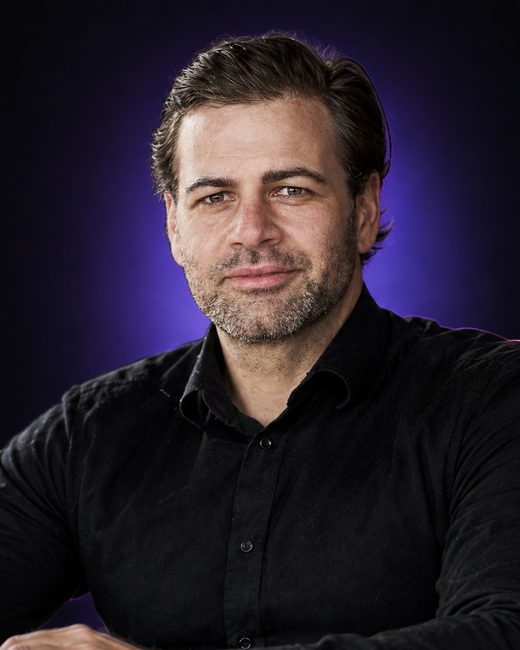
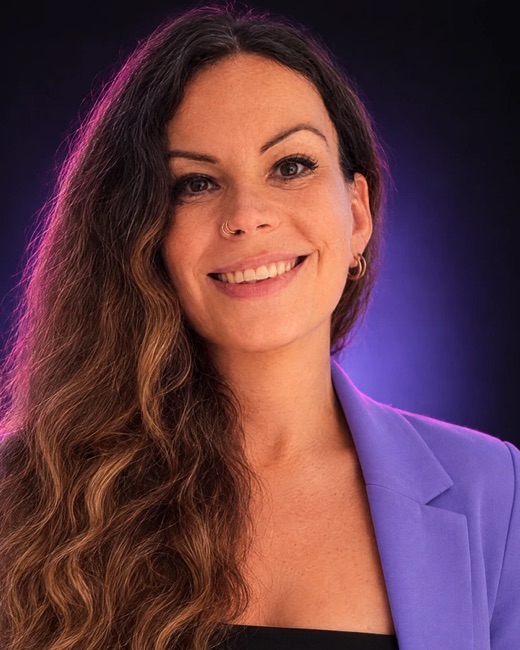
“We believe every company deserves good marketing and secure hosting. That's why we're putting everything we know from 33 years of combined marketing experience into TEISENDA.”Thomas and Emma, founders of TEISENDA GmbH
Why start for free now?
- New pages start private. Always.
- No credits and no fee per person.
- Your websites are stored in Germany.
- One of us answers your email personally.
- One flat price per Space. No hidden costs.
TEISENDA compared.
| Feature | Typical hosting platform | Simple chat hosts | TEISENDA |
|---|---|---|---|
| Share with selected people | from the team plan up, with a platform account | password link | by sign-in: people, teams or everyone in the Space |
| More people on the team | often a fee per person | usually not supported | as many as you like, free |
| Billing | credits for releases and traffic | per website or plan tier | flat price per Space |
| Redirects | as a file in the code | rarely | in the app or via chat |
| Server location | mostly US or worldwide | mostly US or worldwide | Germany |
| Personal support | English | English | German, English, Spanish, Polish |
One price per Space, however many people work in it.
Start for free. When you want to publish more, switch to Max.
Free
- 1 complete website with all subpages, also on your own domain
- 3 releasesRepublishing an old version doesn't count as a release.
- As many members as you like
Max for teams and agencies
With an annual commitment. €28 with a monthly commitment.
- Publish without limits, no credits
- Up to 10 websites, each with its own domain
- As many members as you like
Compare all prices and features
All prices are net. In Switzerland and Liechtenstein, the same amount applies in Swiss francs.
Where the TEISENDA journey is headed.
TEISENDA is becoming your intelligent AI operating system for marketing: one solution that covers all of your marketing and takes work off your hands, instead of yet another tool next to twenty others.
Studio Engine
Work with all major AI providers and models in your own projects, on your own or with your team.
Content Engine
Create and manage website content, blog posts and landing pages, with features for SEO and visibility in AI answers (AEO).
Sales Engine
Your intelligent CRM, including quotes, pricing and checkout in one shared sales process.
What you'll want to know before you start.
Do I need technical knowledge?
No. You connect TEISENDA to Claude or ChatGPT once, then say in the chat what should go online. Or you upload the files as a ZIP in the app.
Can I host my complete company website on TEISENDA?
Yes, if it consists of finished files: HTML, CSS, JavaScript and images, the way Claude, ChatGPT, Lovable or Bolt produce them. All subpages live under your domain, and the HTTPS certificate is set up automatically. Not possible yet: contact forms (in progress) and systems that run on the server, such as WordPress or an online store.
Does TEISENDA build my website?
No, for now your AI does that. TEISENDA puts the page online, controls who sees it, keeps versions and connects your domain. Creating pages with TEISENDA will be possible soon.
Examples of what you can say:
- “Build a landing page for our webinar on March 12 and publish it via TEISENDA.”
- “Turn my notes into a presentation for the quarterly meeting and publish it privately via TEISENDA.”
- “Build a sales dashboard from this CSV and share it via TEISENDA with everyone in my Space.”
- “Create an onboarding page for new employees from this document and publish it privately via TEISENDA.”
Which Claude and ChatGPT plans do I need?
A plan that lets you add custom Connectors; Anthropic and OpenAI decide which ones do. In Claude Team and Enterprise, an owner of the organization adds the Connector first. On the TEISENDA side, you don't need to buy anything: the Connector already works on the Free plan.
Is TEISENDA listed in the Claude or ChatGPT directory?
Not yet. So you add the Connector manually, with the address https://mcp.teisenda.com/mcp. The Docs show every step for Claude, Claude Code and ChatGPT.
Can I use TEISENDA for personal use?
TEISENDA is built for companies and the self-employed. When you sign up, you confirm that you are acting as a business. You book Max with a billing address in Switzerland, Liechtenstein or the EU.
Do my colleagues need an account?
Yes, a free TEISENDA account. They sign in with Google, Microsoft or email. Members cost nothing, no matter how many.
Can I share a private page with people outside my company?
Only members of your Space can see private pages. Invite external people as members; it costs nothing. Or make the page public.
Where is my data stored?
Your websites are stored on servers in Germany. Your contracting party is TEISENDA GmbH in Zurich, Switzerland. If you sign in with Google or Microsoft, only the sign-in runs through those providers.
What happens after the three free releases?
Your website stays online, and you can republish earlier versions. For new versions, you switch to Max.
Can I use my own domain?
Yes. The assistant shows you which DNS records to set with your provider. Once they're correct, the HTTPS certificate is set up automatically. With Max, each of your up to 10 websites has its own domain.
What is a static website?
A website made of finished files: HTML, CSS, JavaScript and images. The server delivers them without running any code of its own. Almost everything Claude or ChatGPT builds as a website works this way.
How do I cancel?
In the app under Billing, as an owner or admin. The cancellation takes effect at the end of your commitment: with a monthly commitment at the end of the paid month, with an annual commitment after twelve months. If your usage then fits within Free, your websites stay online.
Get your first page online. Private or public, and securely hosted.
Start for free, no credit card. Hosted in Germany.